
Start with the subject you want to keep
Photo conversion redraws a reference in a hand-painted visual direction. It can change facial details, lettering and small objects. Choose a sharp photograph with one clear subject rather than expecting a crowded group photo to preserve every face.
For a portrait, keep the eyes visible and the face large enough to read. For a pet, include distinctive fur markings, ears and paws. For a landscape, decide which building, tree or route should remain recognizable. Strong backlighting and heavy filters make that task harder.
A real photo conversion
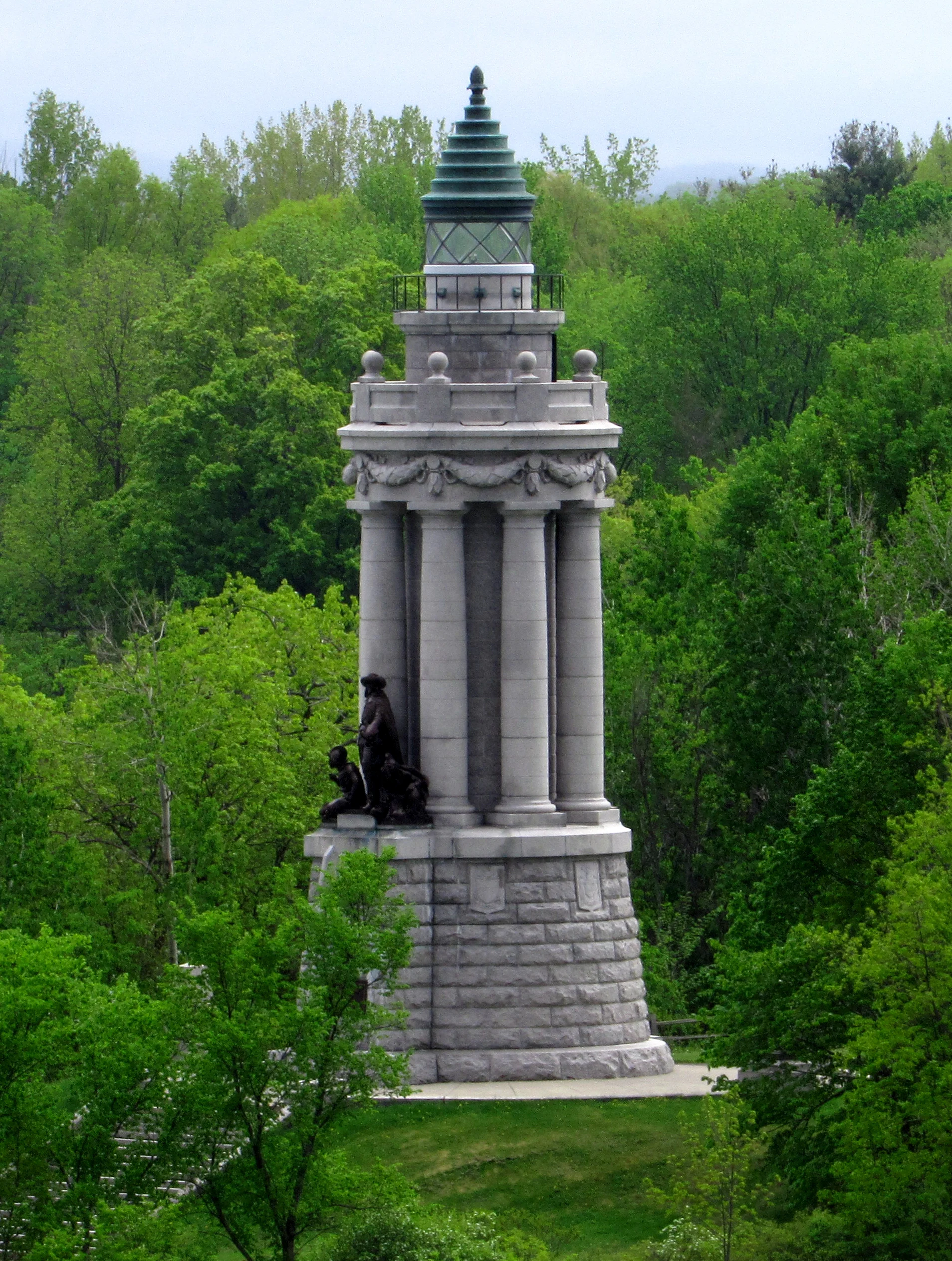

This pair comes from a recorded conversion in our photo tool. The original is by Alex Scrodin, shared through Wikimedia Commons under CC0 1.0. The roof, columns and statue remain recognizable, while the light and surroundings change. This landscape example does not demonstrate exact portrait likeness.
Write preservation first, atmosphere second
Try this order: subject and distinguishing details → setting → light → visual treatment.
Keep the hairstyle, blue coat and seated pose recognizable. Preserve the garden setting. Use gentle hand-painted outlines, soft afternoon light and warm natural colors. Do not add text.
Change the details to match your photograph. Asking to preserve the entire background while also moving the scene to a village gives conflicting directions. Start with a small change, review it, then decide whether another variation is useful.
Pick a frame for the destination
Square suits an avatar; portrait gives a standing subject more space; landscape leaves room for a setting. The output is a new composition, so inspect the edges for cropped ears, hands and important objects.
You can select the photo and settings before signing in. The workspace keeps that draft when you continue to sign-in; generation begins only after you return and confirm it.
Review before sharing
Check faces and hands first, then distinctive clothing, pet markings and written signs. Download the WebP result before making a separate crop or adding exact lettering in an editor. AI can produce a pleasing image while still changing something that matters to you.
A successful photo conversion uses 2 credits. A failed request returns its reserved credits. New accounts receive 10 signup credits; monthly subscription credits expire at the end of their billing period and do not roll over. Private creations are retained under the site's 30-day storage policy, so download what you want to keep.
Try the photo converter · Browse real examples · Adapt a starting prompt