
Find a connection inside the photograph
A Second World poster keeps a photographic region above a sparse illustrated paper region. The strongest connection starts with something already visible: a reflection, a path, a building edge or a branch. The lower scene continues that feature rather than adding an unrelated floating island.
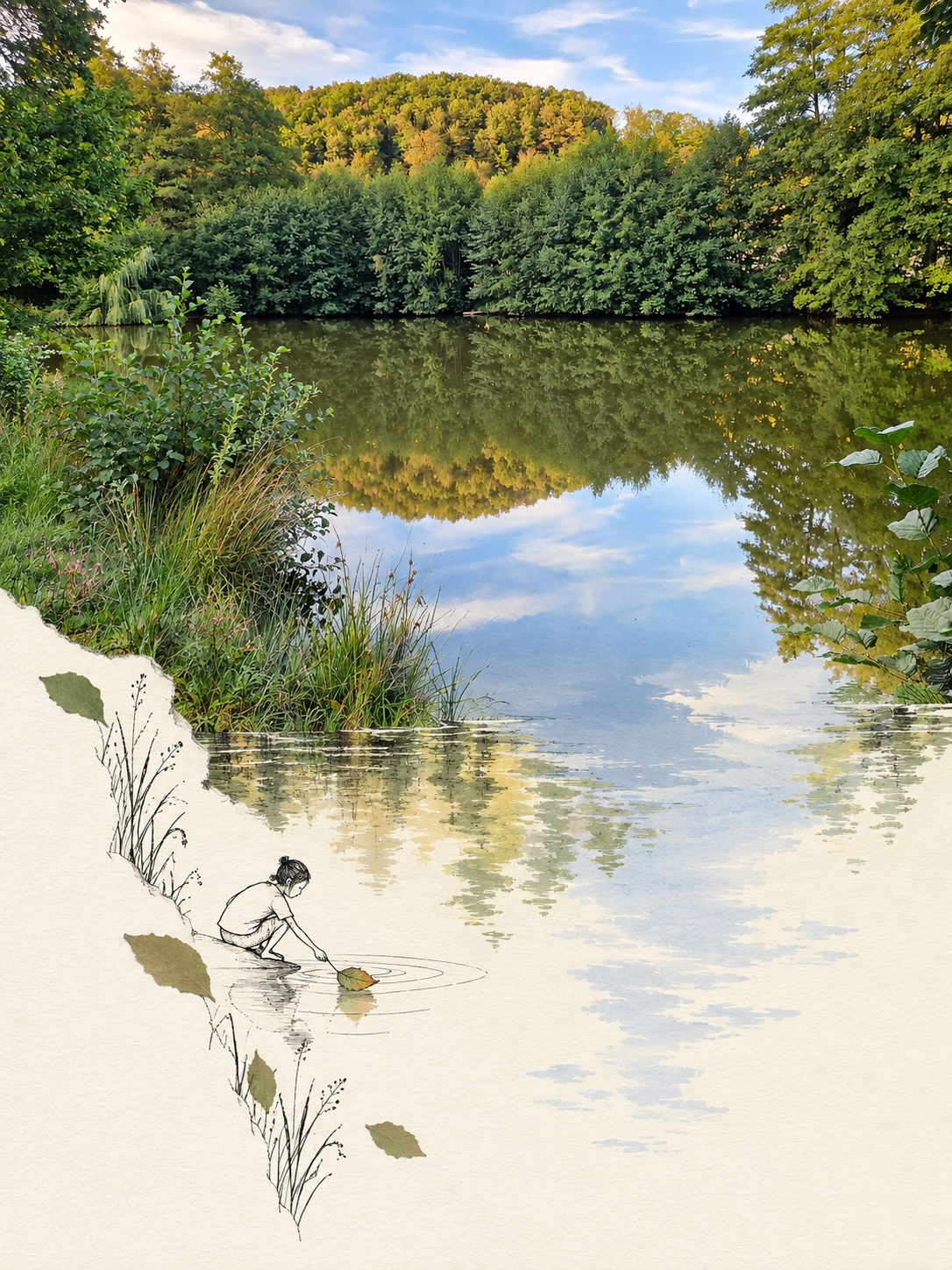
This is a real result from our poster tool. It demonstrates one interpretation of a pond scene; the exact split, drawing and subject details vary between generations.
Start without a prompt
Upload one clear JPG, PNG or WebP under 10 MB. The tool uses 3:4 portrait framing and chooses a connecting structure automatically. Text is left out by default. A photo with a visible reflection, route or architectural edge gives it something concrete to continue.
You can prepare the photograph before sign-in. Your draft is restored when you return, and no generation starts until you click Generate.
Give the paper world one small action
Open advanced settings when you want to guide the connection. For a lake, a tiny figure might gather a reflected light. For a path, a traveler might follow the same line onto paper. For architecture, a figure might explore steps attached to the existing building edge.
Continue the existing water reflection into the lower paper area. Add one tiny line-drawn figure interacting with that same reflected light. Keep the paper mostly empty and do not add lettering.
This is a suggested direction, not the recorded prompt for the image above.
Check the seam first
Follow the chosen line across the photograph-to-paper boundary. Its position and direction should make sense. Then inspect the photo's recognizable details, the amount of empty paper and any caption. Avoid an unrelated scene that merely sits beneath the photograph.
Caption text can be misspelled or distorted. When exact words matter, choose no caption and add your own type after downloading.
Save the result you want to keep
Each successful poster uses 2 credits. Failed requests return their reserved credits; a successful image still consumes credits if you prefer another artistic direction. Downloads are WebP raster images, not layered design files or a physical print. Your photograph is not automatically added to the public gallery.
Create your Second World poster · See the tool's poster examples · View the recorded case
